
IPTV M3U Parser & Playlist Analyzer
Paste an M3U playlist and get a full report on what is inside it — channel counts, categories, duplicates, missing logos and EPG gaps.
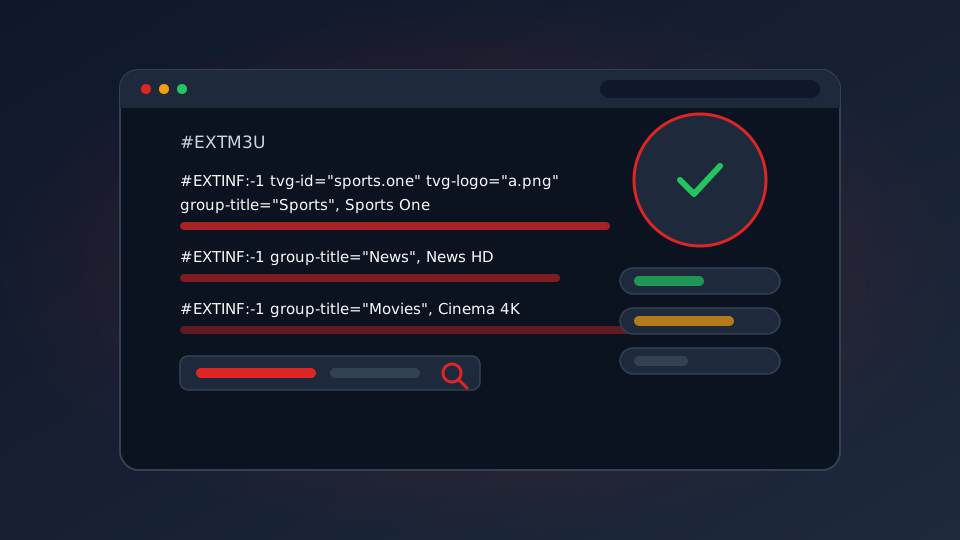
An M3U playlist is a text file, so anything wrong with it can be measured rather than guessed at. This tool reads yours, counts what is in it, and flags the specific problems that stop channels from loading. It runs entirely in your browser.
What an M3U File Actually Contains
An M3U playlist is a plain text file, which is worth knowing before you start editing one. Every channel takes two lines: a metadata line beginning #EXTINF that carries the channel name, group and ID, then the stream URL on the next line. The file opens with a single #EXTM3U line. That is the whole format.
Because it is text, you can read it, edit it, or have a computer check it. That is exactly what the tool below does. It reads the file you paste, tallies up what is inside, and points out the problems that cause channels not to load.
The Attributes That Matter
Most of the #EXTINF line is optional, but these four decide whether your guide, logos and recordings behave:
| Attribute | What it does | What goes wrong without it |
|---|---|---|
tvg-id | Stable ID matched against your EPG data | Guide data never matches, so names drift or stay empty |
tvg-logo | Channel logo URL | Blank tiles or generic placeholders in the app |
group-title | Which category the channel sits in | Everything collapses into one unsortable list |
tvg-shift | Timezone correction in hours | Programme times are wrong by hours |
Our EPG guide covers how those IDs get matched, which is the part people find confusing. The short version is that tvg-id is the join key between your playlist and your guide data, and it has to be identical on both sides.
The Free M3U Analyzer
Paste a playlist, or load one from a URL, then hit analyze. Large playlists take a second or two even with tens of thousands of entries. Nothing is uploaded — the parsing happens in this page, in your browser.
M3U / Xtream Codes Analyzer
Runs 100% in your browser — your credentials are never sent to us.
How to Read the Report
The analyzer reports six numbers and a list of findings. Here is what each one is telling you.
- Total entries — how many streams the file claims to have. A provider promising 30,000 channels should show a number close to that.
- Categories — the number of distinct
group-titlevalues. Two or three categories across 20,000 channels means the guide will be unusable. - Duplicates — identical stream URLs appearing more than once. A few are normal; hundreds means entries are being recycled.
- Missing logos — the share of channels with no
tvg-logo. Above roughly 10% your app will look unfinished. - No EPG ID — channels that cannot match guide data. This is the number that most often explains an empty or wrong programme guide.
- Unnamed entries — streams with no readable name, which usually indicates a broken or auto-generated playlist.
The findings list at the bottom is the part to act on. Each line is a threshold we consider worth knowing about, not a formal error — but a playlist that trips several of them at once is a playlist that will frustrate you.
Live, Movies or Series
The bar underneath the numbers splits your playlist into live channels, movies and series, judged by URL pattern and group naming. It is a useful sanity check: if a provider claims to be mostly live TV but 80% of the file is on-demand content, the marketing and the file do not agree.
Fixing What You Find
Work through problems in this order, because each step depends on the last:
- Malformed lines. A truncated URL or an
#EXTINFwith no following stream line means that channel can never play. Remove both lines together. - Duplicates. Delete the repeats, keeping the copy whose group and logo are correct.
- Missing EPG IDs. These need fixing at the source, not in the file — the provider decides the IDs. If most channels have none, ask them.
- Category sprawl. One category holding over half your channels is why navigation feels slow. Regroup if you control the file.
Structure is only half the picture. A file can parse perfectly and still play nothing, because the URLs inside it point at servers that are down. For that, run it through the playlist health checker, which tests the streams rather than the text.
What To Do With the Result
Three practical uses:
- Before you subscribe. Ask a prospective provider for a playlist link, analyze it, and compare the numbers with what they advertise. It takes a minute and answers a lot of questions.
- Building your own list. If you are assembling channels yourself, our build your own M3U guide covers the structure, and this tool checks your work.
- Debugging a broken install. If channels are missing on your TV but the playlist looks full, the file is usually fine and the app is the problem. Compare against channels not working.
One warning worth stating plainly: a playlist URL usually contains your username and password in plain text. Treat any link as a password, and prefer pasting content over loading from a URL if you are on a shared or public computer. Our M3U playlist guide covers this and the format in more depth.