
Xtream Codes Account Tester
Test whether your Xtream Codes login still works, and read the account status straight from your provider's server.
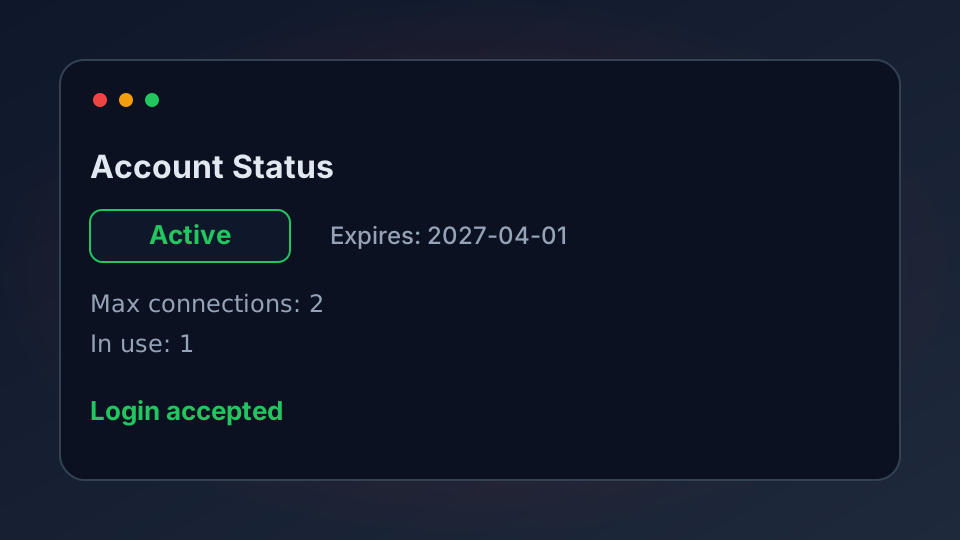
You have a server address, a username and a password, and no idea whether any of it still works. This tester logs in to the server from your browser and reports what the server says back: whether the login is accepted, when the account expires, and how many connections you are allowed. Nothing is sent to us.
What This Tester Does (and Does Not Do)
It sends your login straight to your provider's own Xtream Codes server and reads the reply. That reply is the player_api.php response, the same one your player reads when you open the app. From it, the tester shows four things that actually matter:
- Login accepted or refused — the fastest way to tell a wrong password from a dead server.
- Account status and expiry — active, expired, or disabled, with the expiry date the server reports.
- Connection limit — how many streams at once the account allows, and how many are in use right now.
- Server details — the address and port the server sees, plus its time zone.
What it will not do is log in for you or stream anything. It reads the account, then stops. If you only need the links rather than the account status, the Xtream Codes link builder builds the M3U, EPG and API addresses directly.
Test Your Xtream Account
Type the three values your provider gave you. If the address already includes the port, leave the port box empty — the tester reads it from the address.
Xtream Codes Account Tester
Logs in to your provider's server and reports the account status. Runs in your browser — nothing is sent to us.
Reading the Result
If the login is accepted, the tester shows the status tile in green and lists the expiry date. If the account is refused, the most common causes are, in order: a wrong password, an expired subscription, or a server that has moved to a new address. Work through them in that order rather than assuming the worst.
Two numbers are worth more attention than people give them. Max connections is how many people can watch at once on your account — if two are already in use and you are the only viewer, someone else has your login. Remaining days is a countdown, so you can renew before a match night rather than after the screen goes black.
When the Test Cannot Reach the Server
Some providers block requests that come from a web page, even though the exact same login works perfectly inside your app. If you see a “could not reach” message, that is not proof the line is dead. Open the M3U link from the link builder in a new tab: if that also fails, the line is down; if it plays, the server is fine and only browser checks are blocked.
Keeping Your Login Private
Your Xtream username and password are the whole subscription. Treat them like a bank PIN. Do not paste them into forum posts, do not send the full link in a group chat, and change the password if a link ever leaks. If your provider limits connections, a shared login is money out of your pocket every month.