
EPG / XMLTV Guide Checker
Find out why your TV guide is empty: read any XMLTV file and see exactly which channels have programme data, and which do not.
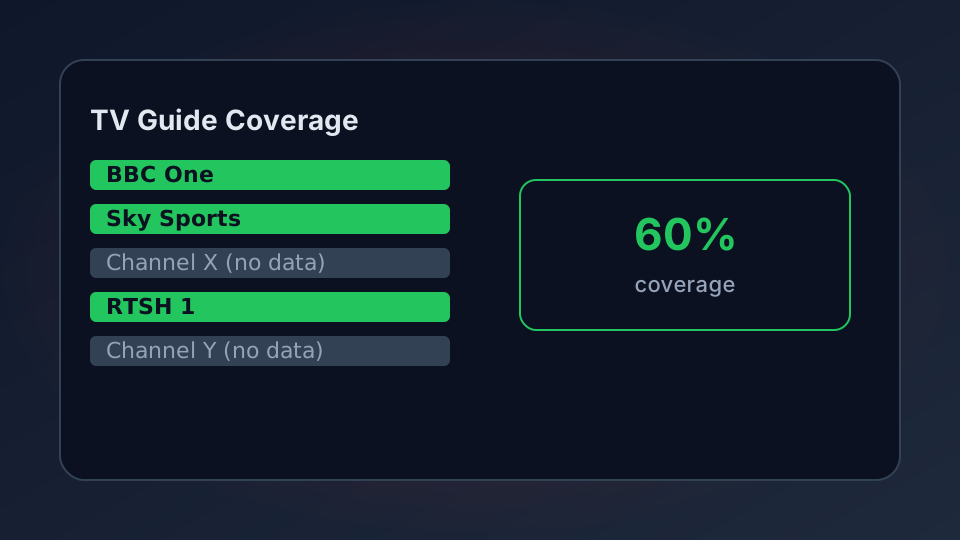
An empty TV guide is one of the most common IPTV complaints, and almost always it is the EPG source rather than the player. This checker reads an XMLTV file and tells you what is actually inside it: how many channels it covers, how many have real programme data, and which ones are missing — so you stop guessing why the guide is blank.
Why the Guide Looks Empty
Your player does not invent programme times. It matches the tvg-id in your playlist against the id in an XMLTV guide file. If the two do not match, the channel shows nothing, no matter how good the guide is. There are only a few ways this goes wrong:
- Wrong EPG URL — the guide link points at a different provider's file.
- Mismatched IDs — the playlist says
bbc1.ukand the guide calls itBBC1. - Sparse coverage — the guide covers the big channels and ignores the rest.
- Stale data — the guide exists but stopped updating, so the times are days old.
This checker reads the guide and reports coverage so you can see which of those you are dealing with. The M3U parser reports the other half — how many channels in your playlist even have an ID to match.
Check Your EPG
Paste the content of your XMLTV file, or paste a URL and let the tool try to fetch it. Many hosts block browser access, so pasting the text is the reliable route.
EPG / XMLTV Guide Checker
Reads an XMLTV guide and reports channel coverage, programme counts and gaps. Runs in your browser.
What the Numbers Mean
The checker reports four things worth understanding. Channels listed is how many entries the guide defines. Channels with data is how many of those actually have programmes — a guide can define a hundred channels and fill ten. Coverage is the percentage of listed channels with real data; below about 70% and most users will see gaps. Programmes is the raw count, and it tells you whether the guide is fresh or thin.
Two mismatches are the usual culprits. Channels defined but never used mean the guide is bloated, which slows loading. Programmes attached to channels the guide never defined mean the file is malformed — usually two sources merged badly. Fixing either means going back to the provider for a clean EPG URL.
Getting a Better Guide
If coverage is poor, the fix is almost never in the player. Ask your provider for the correct XMLTV URL and make sure the tvg-id values in their playlist match the guide — the mismatch is theirs to fix, but you can confirm it with these two tools before you complain. Some users combine a provider guide with a free community one; the EPG and XMLTV guide URLs page covers how to wire a second source in.