
Best VPN for IPTV in 2026
The honest answer: most people do not need a VPN for IPTV. Here is when one genuinely helps, when it makes things worse, and what to look at before you pay for another subscription.
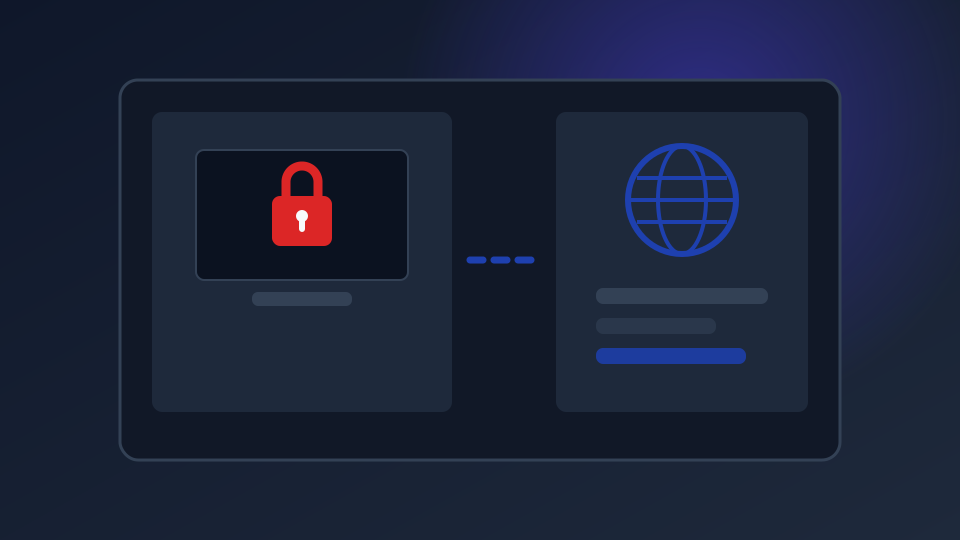
A VPN is the one piece of kit that comes up in almost every IPTV conversation, and it is also the one most often bought for the wrong reason. Here is the honest version: you do not need a VPN to make IPTV work. You might want one for privacy, and occasionally for a specific buffering problem. This guide covers when it is genuinely worth it, and when it is just an extra subscription.
What a VPN Actually Does
Without a VPN, the path between your TV and the streaming server looks roughly like this:
- Your device asks your internet provider (ISP) for a connection to the streaming server
- Your ISP can see the servers you connect to, and can slow that traffic down deliberately
- On public Wi-Fi, anyone else on the same network can potentially see unencrypted traffic
A VPN puts an encrypted tunnel in between. Your ISP still sees that you are connected to something, but not what you are streaming through it, and the tunnel protects you on shared networks. That is the whole idea, and it is genuinely useful for those two things.
Do You Actually Need One for IPTV?
Let’s separate the myths from the reasons people really use one:
- “IPTV needs a VPN” — No. Your subscription plays on any decent connection without one. If someone tells you a VPN is required, be suspicious.
- “It unblocks channels” — Usually no. A VPN does not grant access to channels you are not entitled to. If a channel is geo-block, that is a licensing matter, not a technical one.
- “It stops my ISP slowing me down” — Sometimes yes. This is the strongest genuine case, covered in detail below.
- “It protects me on hotel and café Wi-Fi” — Yes. Real and worth remembering.
- “It makes my streams faster” — Rarely. It adds overhead. A VPN cannot invent bandwidth you do not have.
If your streams are already smooth, a VPN buys you privacy, not performance. That is a reasonable thing to want, but it is worth being honest about which one you are buying.
The One Legitimate Fix: ISP Throttling
Some ISPs deliberately slow streaming traffic during evening hours, when demand is highest, while leaving normal browsing untouched. The signature is unmistakable: everything is fine all day, then buffering starts at 7pm and gets worse until late evening.
Encryption is what defeats it. When your traffic is wrapped in a VPN tunnel, your ISP can see the connection but cannot tell it is streaming video, so the throttling rule does not apply.
And note the trap in the opposite direction: a distant VPN server adds latency and can make streaming noticeably worse. If you do use one, pick a server near you. See our buffering fixes ranked by effectiveness for the full order of operations.
What to Look for in a VPN
Most VPN marketing is noise. These five things are what actually matter:
- A published no-logs policy that has been independently audited. Without this, the provider can see everything you do.
- Servers in your own country, so speed stays high. A service with no nearby servers is not worth paying for.
- A kill switch, which cuts your connection if the VPN drops, so you are never left exposed.
- Enough simultaneous connections for every device in your house. Many cheap plans allow only one or two.
- A clear refund policy, ideally 30 days. This is the only way to find out if it works on your connection.
Free Versus Paid: An Honest Comparison
A free VPN has to earn money somehow, and the usual methods are not ones you would choose yourself: selling your browsing data to data brokers, injecting advertising into pages you visit, or routing your traffic through a network the operator does not properly secure. Some reputable companies offer a genuinely free tier, funded by a paid tier rather than by your data, and that is a reasonable thing to use for light browsing.
The rule of thumb: if privacy is the reason you want a VPN, a paid plan from a known provider is the only version of this that does what you think it does.
Common Mistakes
- Connecting to a server far from home. The single most common self-inflicted slowdown.
- Running the VPN on only some devices. The TV is often left unprotected while the phone is covered, which defeats the purpose.
- Assuming it makes illegal streams legal. It does not. Licence holders hold the rights; a VPN changes none of that. See our straight answer on IPTV legality.
- Paying annually before testing monthly. A refund window is the cheapest possible test.
Who Should Skip a VPN Entirely?
You can reasonably skip it if you are on a fast wired connection at home that never buffers, you do not use public Wi-Fi, and you are not concerned about your ISP logging what you watch. In that situation a VPN is an extra monthly cost for a benefit you will not notice. That is a perfectly valid decision, not a mistake.
The Short Version
Get a VPN if you stream on public networks, if your ISP throttles in the evening, or if you simply want your ISP to stop seeing what you watch. Skip it if your streams are smooth and you would rather not pay for another subscription. Either way, the provider matters more than the price: a cheap unknown VPN can be worse than no VPN at all.